AI music video
Singer performance video
A close-up performance visual built from a selected song, singer image, and vertical format.
Create original songs, beats, and singer videos from one prompt, with MP3/M4A, MP4, WAV, and more.
 3:05
Uplifting cinematic pop, glowing percussion, wide chorus, hopeful vocal energy, polished modern production
 3:14
Global pop, Afro-Latin R&B groove, warm vocals, catchy chorus, emotional build, radio-friendly production
 3:37
Sleek pop R&B, confident groove, late-night bounce, catchy vocal phrasing, modern playlist-ready mix
Uplifting cinematic pop, glowing percussion, wide chorus, hopeful vocal energy, polished modern production


KaivorMusic turns one idea into AI music generator drafts, AI song generator tracks, song AI performances, music AI visuals, and beat maker concepts you can keep shaping.
A close-up performance visual built from a selected song, singer image, and vertical format.
A travel-story visual for emotional tracks, creator campaigns, and release teasers.
A soft cinematic concept for ballads, ambient music, and visual single previews.
A dramatic singer-led cut for rock, pop, and social video launches.
Start from a style
Preview a reference sound, then move into the studio with a focused AI music generator or AI music video workflow.
Two creation paths, one brand experience: make the song first, then turn the same idea into a polished visual.
Creative brief
Create a confident pop track for a product launch with bright synths, clean drums, and a memorable vocal line.
Describe a sound, mood, lyric, or beat idea and shape it into a complete track for videos, ads, podcasts, games, and launches.
Open workflowCreative brief
Turn the finished song into a vertical singer performance video with cinematic lighting and social-ready framing.
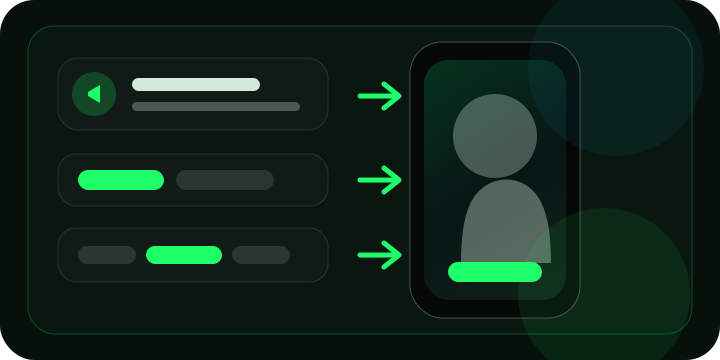
Select a song, choose or upload a singer, pick an aspect ratio, and preview a music video concept for social platforms.
Open workflowWhy it feels faster
Prompt quickly, control details when needed, compare versions in place, and keep useful outputs organized.
Create polished AI music generator results for content, campaigns, and demos without starting from silence.
Move from idea to playable AI song generator output in minutes, then retry or extend while context stays visible.
Guide genre, mood, lyrics, vocals, instrumentation, and song structure without learning technical model settings.
Use music AI models designed for full songs, beats, background beds, and creator-ready arrangements.
Reduce stock music searches and studio handoffs by making more usable options inside one workspace.
A focused AI beat maker and song workspace keeps creation, preview, download, and library management easy.
Workflow
Choose a quick path for speed or a guided path for more control. Both keep generation results on the same page.
Describe the track you need and let KaivorMusic build a first version.
Write the mood, platform, and track purpose in plain language.
The AI music generator creates a playable draft without moving you to another page.
Keep the best take, adjust the prompt, or make another version for comparison.
Add lyrics, style notes, vocal direction, and model options for a more intentional result.
Add lyrics, style tags, vocal direction, and title so the song AI follows your brief.
Generate multiple takes and review them inline with the same prompt context.
Download the track, save it to your library, or continue editing when your plan supports it.
Workflow advantage
Prompt, preview, retry, and compare stay close together so creators can move fast.
Each retry feels like a separate task with lost context.
Style, lyrics, mood, and use case stay visible while the AI song generator works.
Direction is buried in one long prompt box or hidden behind technical settings.
Use KaivorMusic as an AI beat maker for loops, intros, ads, and full song drafts.
Beat ideas, full songs, and campaign audio are split across separate tools.
Library, albums, downloads, and video workflows connect from the same music AI workspace.
Useful outputs are scattered across downloads, tabs, and one-off sessions.
Creator-ready copy and plan context help teams understand how to use the result.
Creators still need to guess whether the track fits the publishing workflow.
Creator proof

Create such high-quality track!

Make royalty-free music so easy!

Music perfectly matches my needs!

Get great background music for free.

Diverse music styles that fit my indie game!
Create such high-quality track!
Make royalty-free music so easy!
Music perfectly matches my needs!
Get great background music for free.
Diverse music styles that fit my indie game!
Get great background music for free.
Diverse music styles that fit my indie game!

Handle different styles seamlessly!

High-quality, Copyright-Free music clips.

The interface is intuitive!
Get great background music for free.
Diverse music styles that fit my indie game!
Handle different styles seamlessly!
High-quality, Copyright-Free music clips.
The interface is intuitive!
Handle different styles seamlessly!
High-quality, Copyright-Free music clips.
The interface is intuitive!

Quickly generating high-quality music.

Top-notch AI music!
Create such high-quality track!
Make royalty-free music so easy!
Handle different styles seamlessly!
High-quality, Copyright-Free music clips.
The interface is intuitive!
Quickly generating high-quality music.
Top-notch AI music!
Create such high-quality track!
Make royalty-free music so easy!
Product updates
Explore KaivorMusic.AI updates for AI music generation, song creation, music videos, Google Lyria 3, and creator workflows.
View All UpdatesViewGive your song a smooth opening or ending.
KaivorMusic's full-song workspace now starts with Google Lyria 3.5. Give your idea a fuller melodic shape and clearer vocal delivery without changing the 20-credit song cost.
KaivorMusic now makes narration from a brief or finished script, with a musical backdrop when you want one and results in your song library.
KaivorMusic.AI v5.4.0 brings existing audio into your AI music creation workflow. Upload songs to your library, add vocals from your lyrics, or create instrumental accompaniment for a selected section.
Questions
Clear answers about the AI music generator, AI song generator, song AI workflow, music AI workspace, and AI beat maker features creators actually use.
Describe the use case, mood, lyrics, or style. KaivorMusic turns that brief into playable music you can preview inline.
Available modes depend on the models enabled in your account, but the interface keeps quick generation and directed song creation separate.
Usage rights depend on your plan. Review the plan terms before publishing paid or client work.
You can guide genre, mood, lyrics, title, vocals, instrumental mode, and model choices when those controls are enabled.
Duration depends on the selected model, prompt, lyrics, and plan limits.
Our AI music generator provides high-quality MP3/M4A exports, with more formats coming soon.
When your plan supports it, you can extend, edit, download, add to albums, or reuse a generated track in related workflows.
It is built for creators, marketers, podcasters, game teams, educators, and music makers who need useful audio quickly.
KaivorMusic.AI
Use KaivorMusic as your focused ai music generator, ai song generator, song ai, music ai, ai beat maker workspace.
100,000+ creator sessions · 1M+ tracks generated